
The School page
The School page brings together everything recorded about one school. Reach it from the Schools table of a district, from the search box or from the breadcrumbs. The school’s name is the heading.
What it shows
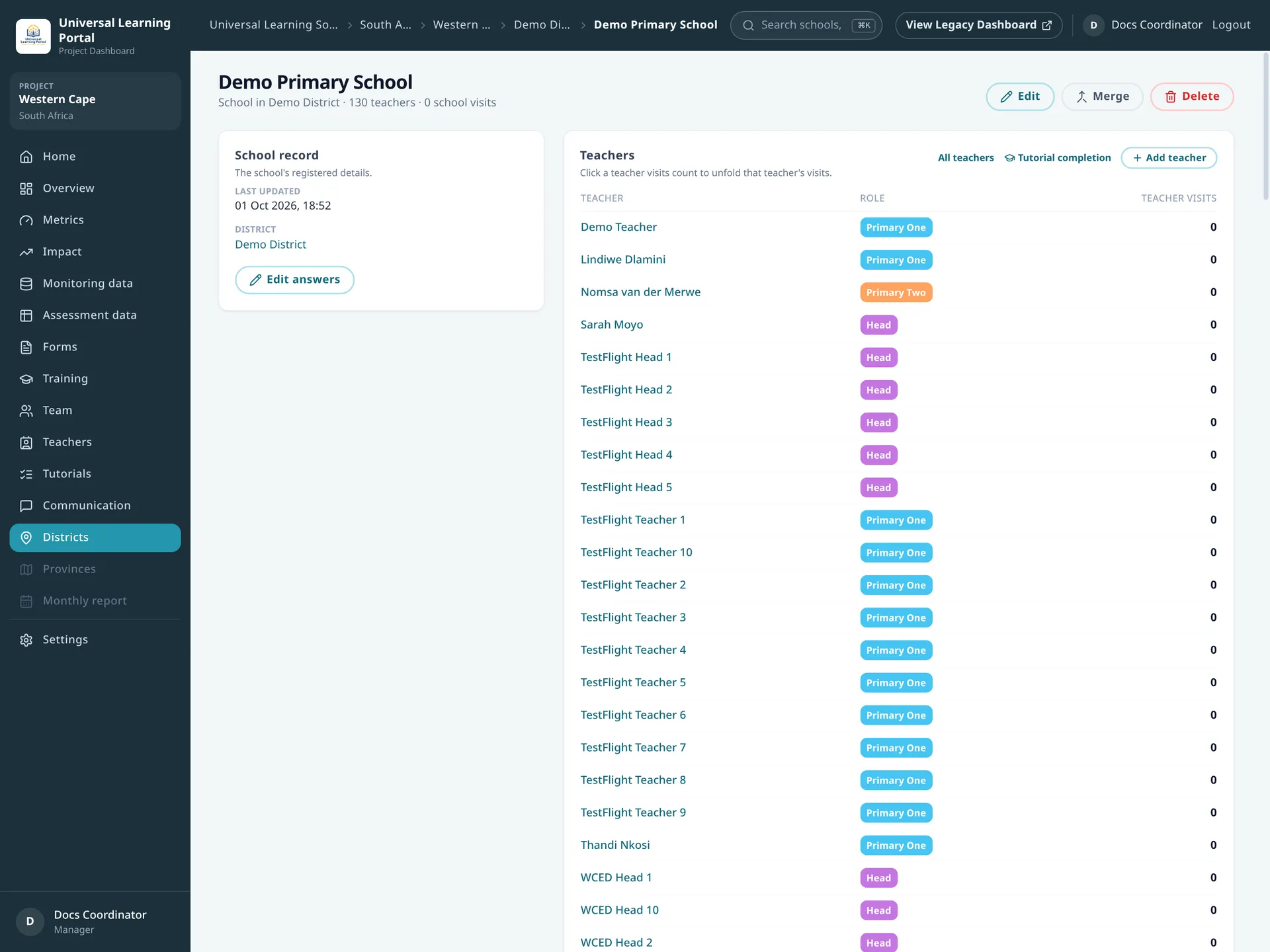
Section titled “What it shows”- School record: the district the school belongs to, when the record was last updated, and whatever else has been collected about the school. Edit answers changes those answers.
- Teachers: each teacher with their Role and their Teacher visits count. The name opens the teacher. All teachers, above the table, opens the school in the Teachers list, where the invitations are, and Tutorial completion opens its tutorials page.
- Classes: the school’s classes with their teacher and year. A class name opens the class.
- School Visits: the visits recorded at the school.
- Internal Evaluations: the assessment rounds run at the school, newest first, each with its date, the teacher who ran it and the number of pupil assessments. Each one opens its own page.
Actions
Section titled “Actions”- Edit: change the school’s name.
- Merge: combine this school with another in the same district, for when the same school was recorded twice.
- Delete: remove the school, after a confirmation.
- Add teacher and Add class: add to the tables directly. These two are administrator actions; the rest need a manager or project staff.
Next: Classes and pupils